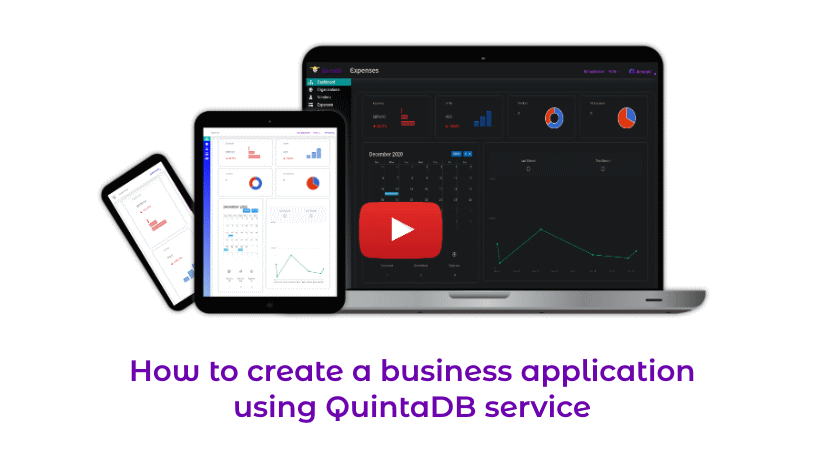
Simple way to create and integrate your table or web-form to site, blog or forum
QuintaDB is a simple way to create a database. No need for you know any programming language or web framework in order to start working with QuintaDB. Create, build, and customize forms with a few clicks and place a widget code into your forum, blog, or webpage. 'Forms' menu is the place where you can create beautiful forms. 'Widgets' section is the place where you can customize your forms and get instructions how to integrate beautiful forms into web pages.
Create database, free and online
This online tool is a simple way to create, customize and integrate web forms and the whole databases into web pages. Embedded web forms allow you to get and store user's data, which will be saved at quintadb.com servers. You will have the ability to sort and search databases. This easy-to-use web database utility also allows you to store your databases on your computer using Excel export.
'Widgets' menu has been built for your web forms customization, with its help you can change form size, show/hide fields and change color settings to match the style of your website or blog. Also you will want to use "Upload logo" feature to add your logo to your integrated forms.
If you want to start your online business the first thing you need is to get users, collect their input and probably to share their input. You have two options: hire developers or investigate and use Quintadb. In most cases the second way is much cheaper and will fit your needs.
Consider using QuintaDB if you need a multipage site for online business. Use this powerful application if you need a form-based site. We have tutorials and amazing support who will guide you on how to organize a database step by step.
If you need an online store for you data, Quintadb is what you need. You can use it as your notepad, address book, working log and in many other ways.
Quintadb can help you if you need a form for your users to signup, upload their resumes. Just signup, create a form and build your signup form, go to 'Widgets' menu, customize your form and integrate it into your site. Few minutes and you are on the right track.
If you want to find a simple tool to save your music or video this service is so flexible and allows it too!
Explore freedom. Create as many forms and tables as you need
Using this awesome online database application you can create as much forms, as you need. 'Forms' menu is an integrated module which helps you to build and manage your forms. You may want to add "Contact form" to your site in order to be able to get responses from your users. On some other page of your site you may need a Mailing List, where you can get information from a user: address, full name, emails, etc. You can add a market database to your site using Quintadb. And more and more forms, here there is no restrictions for forms count.
Unlimited number of form fields
From the previous section, you know that “Form Builder” allows you to add any number of forms. Also, you can add any number of fields to your applicant form. If you want your online market to include product number, product pictures, prices, or color any additional info, you can do it without any limits. Using QuintaDB, it is possible to add File and Image fields. With this, you may ask your user to upload files or images.
Import as many records as you need. Export at any time
So, you’ve built your project and you know how to submit forms and add fields. Next, you can start filling your database using the Records module. However, it may not be enough for you. You want your users to have the ability to fill your data. You will need to use “Widgets” menu, where you can customize your forms and supply instructions on how to embed your forms and data to your own web site or blog.
Receive email or SMS notifications about submitted or updated records
If you've published, for example, an account form at your site you are on the go. You just need to collect users input and build your business using Quintadb. This online database service allows any number of submits without any limitations per month. So you should not worry that you will see message "please, upgrade to continue collecting your data". You will never see it, because paid account is a completely unlimited and you have no limitations.
Online storage
QuintaDB has another cool feature – File and Image fields. You can ask your users to submit any files you need, without any limitation for file size or number of uploads. You are free to create your home database to store your documents, files, videos and pictures online, because Quintadb is a best way to store data online.
SMS and Email newsletters. Save as template and re-use or schedule for any day.
Email notification will inform you if your HTML form has been submitted. You can set any number of email notification recipients and there will be no limitations for the number of emails per month. QuintaDB can be used as an email server, a way to connect with your friends. Explore QuintaDB’s features and you will find so much more.
Export to Excel or PDF and print
After your online database has been created and you have started collecting your data, you may want to use this data elsewhere. “Export to Excel” feature allows you to export your database to Excel. You can also collect user’s emails and use it for your own email subscriptions or email marketing.
Invite your co-workers with different access level to manage your data together
Using widgets you can integrate your table or web-form for everyone. But you may want to work with your Team members with the database built using Quintadb. Team module allows you to add any number of users, team members and to set permissions for them. They can be administrators or members. You can find team members by login or email or invite them to Quintadb. Collaborate with your colleagues and build business together!
QuintaDB.com uses cookies to provide necessary site functionality and improve your experience. By using our website, you agree to our cookie policy.
 English
 Español
 Deutsch
 Italiano
 Polski
 Nederlands
 Português
 Français
 中文
中文
 日本語
日本語
 हिन्दी
 اللغة العربية
 Русский
 Українська
 עִברִית
 Ελληνικά
 Türk
Türk
 Latvietis
 Dansk
Dansk
 Norsk
Norsk
 Íslenska
 한국어
한국어
 Suomen
 Gaeilge
 Bahasa Melayu
 Svenska
 Čeština
 Log In
 English